Premium Plans

5,000+ Free Video Editing Assets: VFX, Transitions, Overlays & Music
5,000+ Free Video Editing Assets: VFX, Transitions, Overlays & Music
If you’re a filmmaker, content creator, YouTuber, or even just someone experimenting with video editing for fun, you’ve probably come across the term VFX (Visual Effects). These are the powerful, eye-catching effects that transform ordinary footage into something cinematic and exciting. From explosions and fire to smoke, lightning, rain, or even magical energy blasts, VFX can instantly add life and drama to your videos.
But here’s the good news: you don’t always need a Hollywood budget to access professional-quality VFX. Thanks to platforms like MyCreativeFX, you can now download free VFX and start using them in your projects immediately. Whether you’re editing on your laptop, working on a feature film, or simply making content for TikTok and YouTube Shorts, free VFX assets are a game-changer.
In this blog, we’ll explore why VFX are so important, the types of free VFX you can download, how to use them effectively, and why MyCreativeFX has quickly become one of the best resources for creators worldwide.
Video content is everywhere. Platforms like YouTube, Instagram, and TikTok have raised the bar for creativity, and if you want your content to stand out, you need to give it that professional touch. That’s where VFX come in.
Think about it:
A simple vlog shot in your room instantly becomes more engaging if you add a rain overlay or cinematic color grading LUT.
A gaming montage looks more intense when you throw in dust explosions, sparks, or energy blasts.
A short film can go from average to award-winning just by using fog, snow, or fire VFX.
But here’s the catch—many high-quality VFX packs are expensive. For beginners or independent creators, investing in costly assets isn’t always possible. That’s why having access to free VFX downloads is such a huge opportunity. You can experiment, learn, and improve your editing without spending a dime.
At MyCreativeFX, the goal is simple: to empower every creator, from beginners to professionals, with easy access to high-quality creative assets. The platform offers a wide variety of free VFX downloads, covering almost every category you could need. Here are some of the most popular ones:
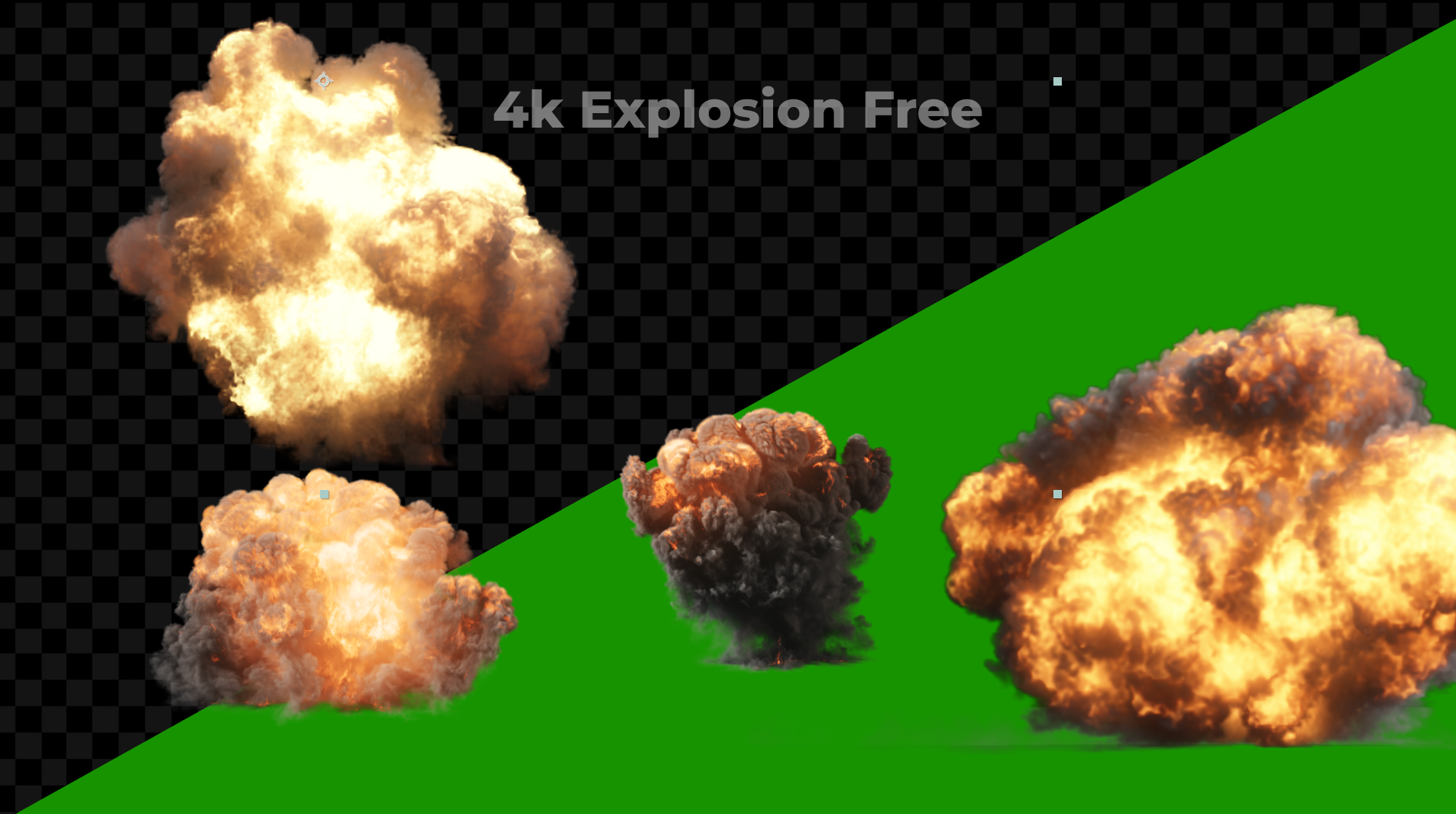
Explosions, sparks, dust, fireballs, and smoke plumes. These are the go-to effects for action scenes, gaming edits, and cinematic montages. Whether you’re making a short film or a music video, Action FX instantly add energy and excitement.
Want to give your character laser eyes, a glowing aura, or a lightning attack? Superpower FX bring the world of fantasy and superheroes to your screen. Perfect for fan films, cosplay edits, or just fun YouTube shorts.
Sometimes, all you need is the atmosphere. Rain, snow, fog, clouds, and thunderstorms can completely change the mood of a scene. These overlays are especially useful if you couldn’t capture certain weather conditions during filming.
For those working on spooky projects, Horror FX deliver everything from eerie smoke and creepy shadows to ghostly apparitions. Combined with horror sound effects, these can turn any ordinary clip into something chilling.
VFX aren’t just about visuals. Sound plays a huge role in storytelling. Cinematic hits, risers, whooshes, fight sounds, and ambient noises are available to download free as well. Adding the right sound effect makes your visual effects feel more realistic and immersive.
Transitions, titles, film burns, glitches, and animated elements can give your videos a polished, professional look. These are especially useful for YouTubers and editors who want to maintain consistency across their content.
Not technically “VFX,” but equally important. LUTs (Look-Up Tables) help you transform the colors of your video with one click. Want your video to look like a Hollywood movie or a vintage film? LUTs can get you there instantly.
Downloading free VFX is just the first step. The real magic happens when you use them correctly in your editing. Here are a few tips:
Use Blend Modes: Most overlays (like fire, smoke, or rain) are designed to be placed on top of your footage and then blended using “Screen” or “Add” mode in your editing software.
Match the Lighting: Make sure your VFX matches the lighting of your footage. For example, if your scene is dark, tone down the brightness of your effect.
Add Sound Effects: Always pair visual effects with sound. An explosion without a “boom” feels incomplete.
Don’t Overdo It: The best VFX are the ones that enhance your video, not distract from it. Use them strategically.
There are many websites offering free VFX, but MyCreativeFX stands out for a few reasons:
High-Quality Assets: All effects are created in 4K ProRes for professional results, but also optimized for mobile editors.
Massive Variety: With over 3000+ assets, you’ll find everything from realistic fire to fantasy effects.
Beginner-Friendly: Even if you’re new to editing, the drag-and-drop assets make it easy to get started.
Regular Updates: New free VFX, sound effects, and overlays are uploaded every week, so there’s always something fresh to download.
For Everyone: Whether you edit on a phone or a high-end editing suite, there are assets designed for your workflow.
Visit MyCreativeFX.com.
Browse through categories like Action FX, Superpower FX, Nature & Weather, Sound Effects, LUTs, Motion Graphics, and more.
Choose the asset pack you want.
Click download, and start using it in your editing software (Premiere Pro, After Effects, Final Cut, DaVinci Resolve, or even mobile apps).