
 Premium Plans

5,000+ Free Video Editing Assets: VFX, Transitions, Overlays & Music
5,000+ Free Video Editing Assets: VFX, Transitions, Overlays & Music
Looking to add realistic fire to your video edits? Whether you’re a YouTuber, filmmaker, editor, or content creator, a fire overlay video can instantly turn a simple scene into a cinematic masterpiece. At MyCreativeFX.com, we offer fire overlay video free downloads in 4K ProRes and mobile-ready green screen formats, so you can elevate your visuals with ease.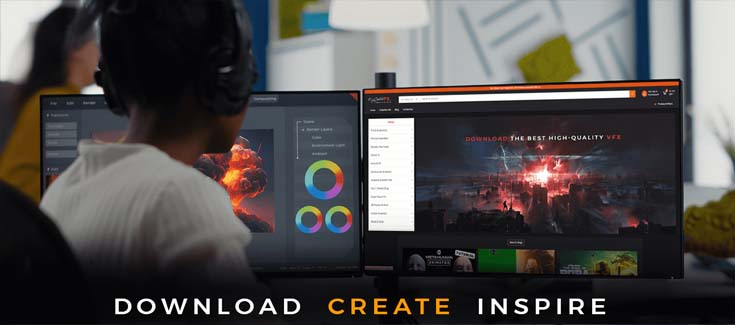
🚀 What is a Fire Overlay Video?
A fire overlay video is a visual effect that adds realistic flame elements over your footage. These overlays are used in post-production to simulate fire without shooting dangerous live flames. Whether you're editing an action scene, a fantasy short film, or a dramatic reel, a fire overlay gives your content explosive energy.
Our overlays come in two main formats:
Transparent .MOV (ProRes 4444) for professional video editors
Green Screen MP4 for quick mobile and CapCut use
At MyCreativeFX, we provide free fire overlay templates for both beginner and pro editors. These are plug-and-play assets you can drag into your editing software like Adobe Premiere Pro, After Effects, DaVinci Resolve, or even mobile apps.
✅ Resolution: 4K (3840x2160)
✅ Formats: Transparent ProRes + Green Screen MP4
✅ Use Cases: VFX, YouTube edits, music videos, Instagram reels, short films, and more.
👉 Download Fire Overlay Video Free – Instantly enhance your project with stunning flames.
Looking for variety? We’ve got you covered. Here are some of the fire effects you’ll find in our packs:
Ground Fire Overlays – Ideal for battle or explosion scenes
Fire Burst Effects – Great for action transitions or magical attacks
Fire Particles – Slow-motion embers and floating sparks
Fire Walls – Perfect for background enhancement or fire barriers
Fire Impact FX – When fire hits an object or bursts from a weapon
Browse all Fire Overlay Free Downloads on MyCreativeFX.
Don’t have access to high-end software? No problem. Our fire overlay green screen videos are compatible with:
CapCut
Kinemaster
VN Editor
InShot
Alight Motion
PowerDirector
Just apply chroma key and make the green background disappear. You’ll instantly get fire effects ready to use in your mobile video!
👉 Free Fire Overlay Green Screen Download
Want still frames instead? We also provide fire overlay PNG images for photo editing or static graphics design. You can use them in Photoshop, Canva, or even for YouTube thumbnails.
For motion video, our fire overlay transparent videos are rendered with alpha channel support so they blend perfectly with your footage—no need for chroma key.
🧯 Download Fire Overlay Transparent Video
Import the overlay into your timeline
Drag above your main video footage
If using green screen, apply chroma key to remove background
Blend modes like Screen/Add work great with fire
Color grade if needed to match your footage
Works in:
Adobe After Effects
Adobe Premiere Pro
Final Cut Pro
DaVinci Resolve
CapCut
Kinemaster
🎬 Creator-Focused: All assets are made for editors, filmmakers, and content creators
🌍 Global Compatibility: Mobile and PC formats included
📁 Instant Access: Download without long signups or watermarks
💥 Variety of FX: Fire, sparks, explosions, smoke, and more
This blog post is optimized for:
Fire overlay video
Free fire overlay template
Fire overlay video free download
Fire overlay green screen
Free fire overlay PNG
Fire overlay transparent video
Click below to explore and download the best fire overlays for your next video project:
👉 🔥 Fire Overlay Video Free Download – MyCreativeFX
Your next scene deserves to burn with intensity. Don’t settle for basic – download cinematic-quality fire overlays now and set your visuals ablaze.



















