Premium Plans
Free Halloween VFX Download: Ghost, Blood, Smoke, Horror
Free Halloween VFX Download: Ghost, Blood, Smoke, Horror
Free Fire VFX Effects – Download Realistic Flames for CapCut, After Effects & DaVinci Resolve
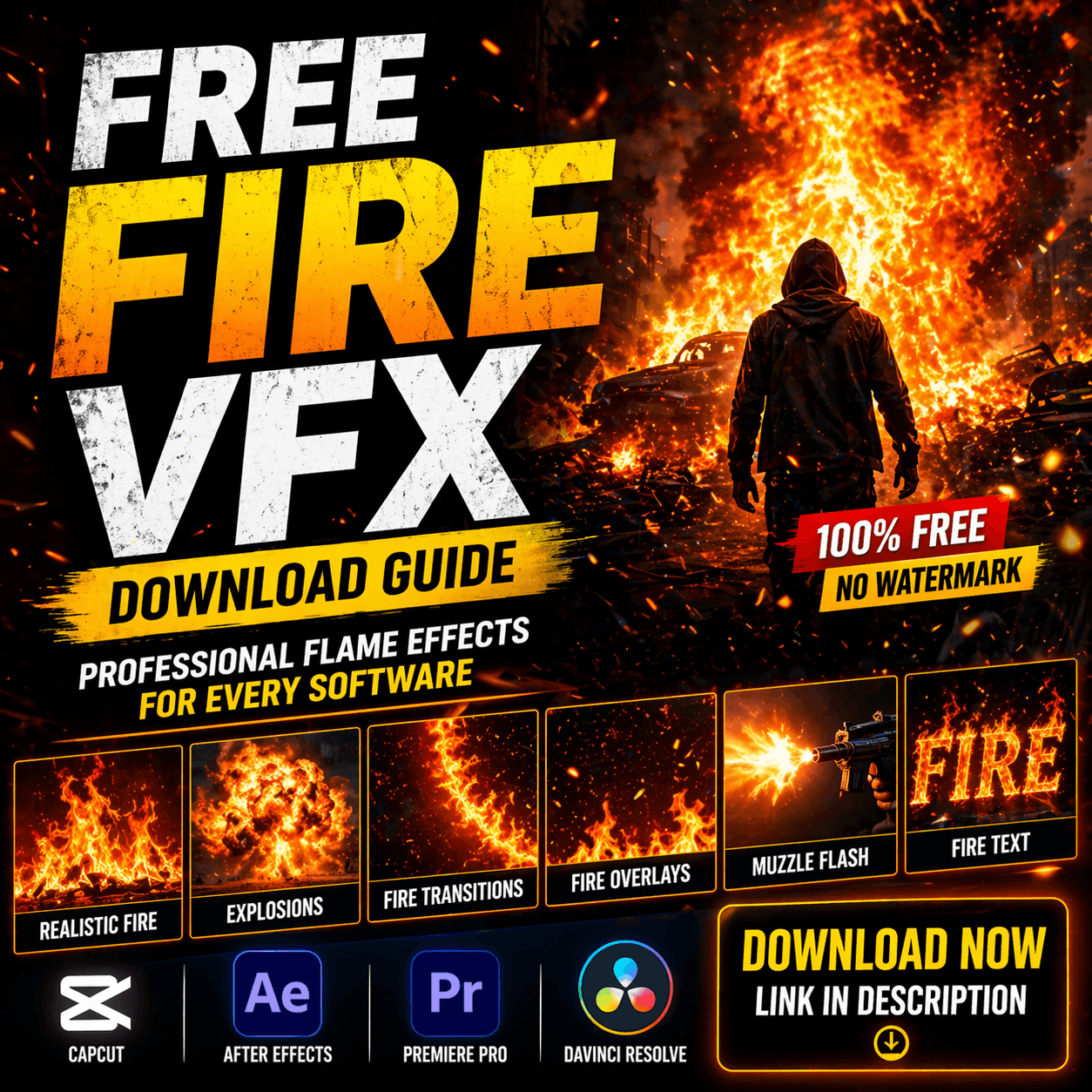
H1: Free Fire VFX Download Guide – Professional Flame Effects for Every Software
Fire effects are among the most popular visual effects for content creators. Whether you're making action videos, gaming highlights, music videos, or cinematic content, realistic fire VFX can instantly elevate your production quality.
The challenge? Finding high-quality fire VFX downloads that are truly free, royalty-free, and compatible with your editing software.
This guide covers everything you need to know about free fire VFX—where to download them, how to use them in CapCut, After Effects, Premiere Pro, and DaVinci Resolve, and how to customize them for your specific creative vision.
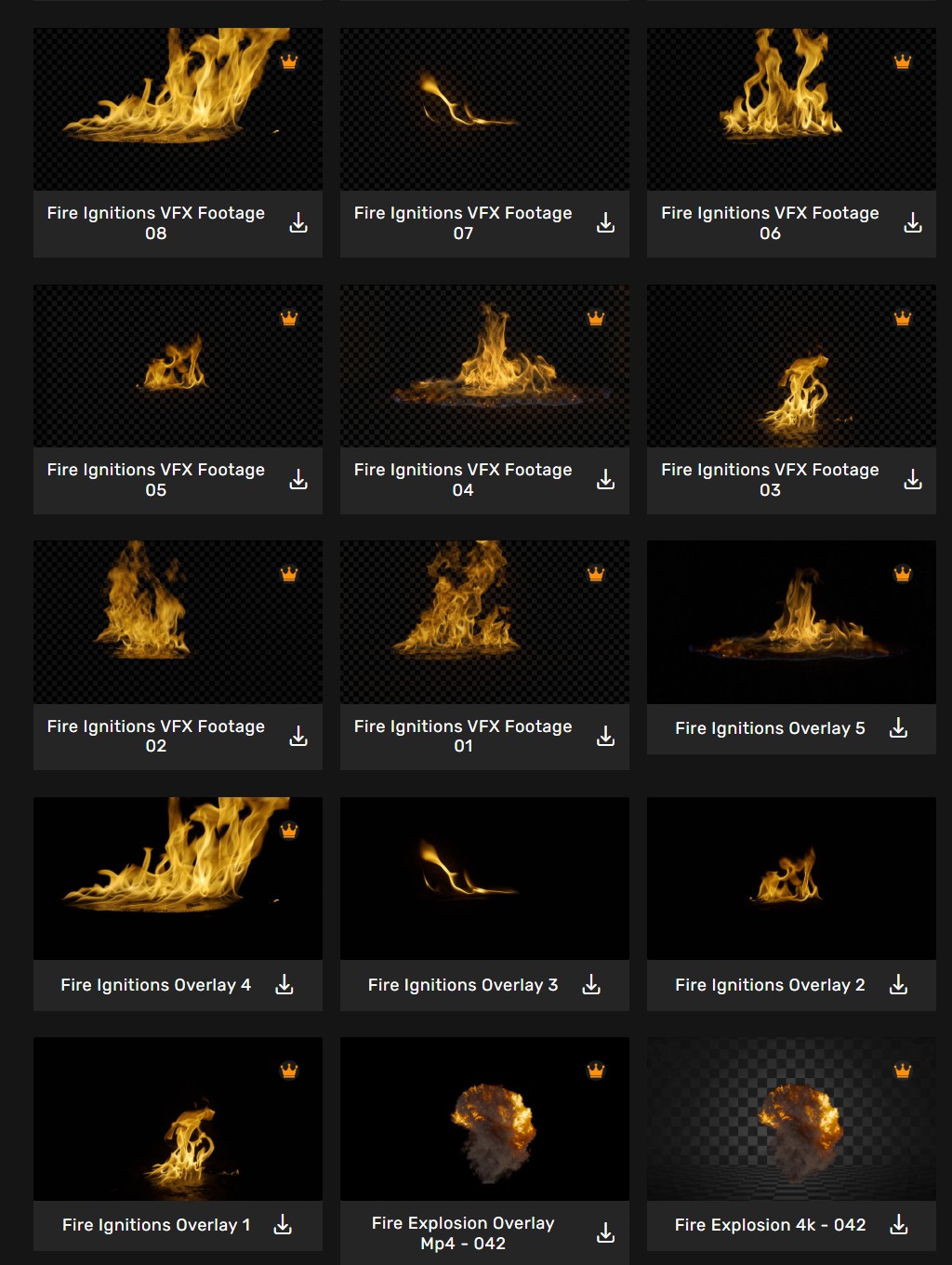
H2: What Are Fire VFX Effects?
Fire VFX effects are animated overlays or composited elements that simulate realistic fire, flames, and combustion. They're pre-rendered video files or plugin effects that you layer onto your footage to create:
Free fire VFX downloads save you from:
At MyCreativeFX (https://mycreativefx.com), we've compiled the largest free fire VFX library specifically for content creators. Browse our free fire effects here: https://mycreativefx.com/search?type=fire
H2: Why Free Fire VFX Are Game-Changers for Creators
Cost Advantage Professional fire VFX plugins cost $200–$1,000. Free options eliminate this barrier for indie creators, students, and small production houses.
Time Savings Instead of rendering a 3D fire simulation (30 minutes to 2 hours), you download a pre-rendered fire VFX file and apply it instantly—5 seconds instead of hours.
Consistency Free fire VFX libraries ensure your effects look professional across multiple videos, maintaining visual brand consistency.
No Watermarks Unlike low-quality free sites, MyCreativeFX's free fire VFX (https://mycreativefx.com) come without watermarks or branding overlays.
Royalty-Free Guarantee All free fire VFX on MyCreativeFX (https://mycreativefx.com/about) are licensed for personal and commercial use.
H2: Types of Free Fire VFX Downloads
1. Realistic Fire Overlays Standard fire overlays that look authentic and cinematic. Best for:
Download realistic fire overlays: https://mycreativefx.com/search?type=fire&style=realistic
2. Stylized Fire Effects Stylized, exaggerated fire for artistic projects. Includes:
Browse stylized fire at: https://mycreativefx.com/search?type=fire&style=stylized
3. Fire Transitions Fire effects that transition between scenes. Perfect for:
Fire transition effects: https://mycreativefx.com/search?type=fire&category=transitions
4. Muzzle Flash with Fire Combined fire + spark effects for weapon shots. Includes:
Action-specific fire effects: https://mycreativefx.com/search?type=action&effects=muzzleflash
5. Text Reveals with Fire Fire animation used to reveal text. Perfect for:
Text animation effects: https://mycreativefx.com/search?type=fire&category=textreveals
6. Fire Filters & Presets Quick-apply filters that add fire aesthetics without animation. Includes:
Preset fire effects: https://mycreativefx.com/search?type=fire&category=presets
H2: Best Free Fire VFX for Each Software
Free Fire VFX for CapCut
CapCut users have limited built-in fire effects. Free fire VFX downloads fill this gap perfectly.
Best CapCut Fire Effects:
How to Apply in CapCut:
Full CapCut tutorial: https://mycreativefx.com/tutorials/capcut-fire-effects
Free CapCut Fire VFX Downloads: Browse all CapCut-compatible fire effects: https://mycreativefx.com/search?software=capcut&type=fire
Free Fire VFX for After Effects
After Effects creators can work with professional-grade fire VFX files—AEP projects, MOD sequences, and plugin presets.
Best After Effects Fire Effects:
How to Apply in After Effects:
Full After Effects tutorial: https://mycreativefx.com/tutorials/aftereffects-fire-effects
Free After Effects Fire VFX Downloads: Browse all After Effects fire effects: https://mycreativefx.com/search?software=aftereffects&type=fire
Free Fire VFX for Premiere Pro
Premiere Pro users benefit from MOGRT templates and MOD file support.
Best Premiere Pro Fire Effects:
How to Apply in Premiere Pro:
Full Premiere Pro tutorial: https://mycreativefx.com/tutorials/premierpro-fire-effects
Free Premiere Pro Fire VFX Downloads: Browse all Premiere Pro fire effects: https://mycreativefx.com/search?software=premierpro&type=fire
Free Fire VFX for DaVinci Resolve
DaVinci Resolve users can use OFX plugins and Fusion compositions for advanced fire effects.
Best DaVinci Resolve Fire Effects:
How to Apply in DaVinci Resolve:
Full DaVinci Resolve tutorial: https://mycreativefx.com/tutorials/davinciresolve-fire-effects
Free DaVinci Resolve Fire VFX Downloads: Browse all DaVinci Resolve fire effects: https://mycreativefx.com/search?software=davinciresolve&type=fire
H2: Deep Analysis: Where to Find Free Fire VFX
The Problem With Most "Free" Fire VFX Sites
Many free VFX sites promise unlimited downloads but deliver:
MyCreativeFX's Free Fire VFX Difference
✅ High Resolution – 1080p minimum, 4K available ✅ Zero Watermarks – clean, professional files ✅ Clear Licensing – 100% royalty-free with commercial use rights ✅ Safe Download – no ads, malware, or suspicious redirects ✅ Multiple Formats – MP4, MOV, PNG sequence, AEP, OFX, MOGRT ✅ Organized Library – searchable by software, effect type, style ✅ Regular Updates – new free fire VFX added weekly
Explore MyCreativeFX's free fire library: https://mycreativefx.com/search?type=fire&price=free
Comparison: Free VFX Sites
| Site | Resolution | Watermark | License | Format Support | Software Filter |
|---|---|---|---|---|---|
| MyCreativeFX | 1080p–4K | None | Royalty-free | All major | Yes |
| YouTube Download Channels | Variable | Often | Unclear | Limited | No |
| Reddit Communities | 480p–1080p | Sometimes | Unclear | Limited | No |
| Generic Stock Sites | 720p–1080p | Often | Restrictive | Limited | No |
| Pixabay/Pexels | 1080p | None | CC0 | MP4 only | No |
MyCreativeFX wins on organization, quality, and format compatibility.
Browse our free fire VFX library: https://mycreativefx.com/search?type=fire
H2: How to Download & Install Free Fire VFX
Step 1: Visit MyCreativeFX
Go to https://mycreativefx.com/search?type=fire
Step 2: Filter by Software
Click your editing software:
Step 3: Browse & Preview
Click each fire effect to preview:
Step 4: Download
Click "Download" button. Free users get:
Premium users (https://mycreativefx.com/pricing) get unlimited downloads and exclusive effects.
Step 5: Extract & Install
Most fire VFX downloads arrive as ZIP files:
Step 6: Apply to Your Video
CapCut:
After Effects:
Premiere Pro:
DaVinci Resolve:
H2: Best Practices for Using Free Fire VFX
1. Match Fire Color to Your Scene
Different fire colors suit different contexts:
MyCreativeFX organizes fire effects by color. Find color-specific effects: https://mycreativefx.com/search?type=fire&color=blue
2. Adjust Opacity for Realism
Fire effects often need opacity adjustment:
3. Use Blend Modes Correctly
Different software uses different blend modes:
Tutorials on blend modes: https://mycreativefx.com/tutorials/blendmodes
4. Timing Matters
Fire should match your video's pacing:
5. Layer Multiple Fire Effects
Professional results come from layering:
Example Layering in After Effects:
Layer 1: Fire Overlay (Screen mode, 80% opacity)
Layer 2: Glow Effect (Add mode, 50% opacity)
Layer 3: Spark Layer (Screen mode, 60% opacity)
Layer 4: Smoke (Multiply mode, 30% opacity)
6. Color Grade Your Fire
Fire VFX can be color-graded to match your shot:
H2: Real-World Examples: Free Fire VFX in Action
Example 1: Action Gaming Highlight
Video Brief: 30-second montage of explosive action moments
Fire VFX Used:
Result: Generic gameplay footage becomes cinematic action highlight. Download these effects: https://mycreativefx.com/search?type=action&effects=explosions
Example 2: Music Video Opening
Video Brief: 15-second intro with fire reveal of artist name
Fire VFX Used:
Result: Professional, branded intro. Get these effects: https://mycreativefx.com/search?type=fire&category=textreveals
Example 3: YouTube Horror/Gaming Thumbnail Video
Video Brief: 60-second horror intro with intense atmosphere
Fire VFX Used:
Result: Elevated production quality, increased click-through rate. Download: https://mycreativefx.com/search?type=fire&style=stylized
H2: Customizing Free Fire VFX
Changing Fire Color
Most free fire VFX can be color-shifted:
In CapCut:
In After Effects:
In Premiere Pro:
In DaVinci Resolve:
Adjusting Fire Speed
Fire animations can be time-stretched:
Slow Down Fire (for dramatic effect):
Speed Up Fire (for quick impact):
Making Fire Transparent
Remove black backgrounds from fire overlays:
In After Effects:
In DaVinci Resolve:
H2: Free vs. Premium Fire VFX – What's the Difference?
Many creators wonder: Is free fire VFX good enough, or should I buy premium?
Free Fire VFX (MyCreativeFX Free Tier) ✅ Pros:
❌ Cons:
Premium Fire VFX (MyCreativeFX Pro – $3.99–$9.99/month) ✅ Pros:
❌ Cons:
Recommendation: Start free at https://mycreativefx.com/search?type=fire. If you need more than 3 effects/month, upgrade to premium: https://mycreativefx.com/pricing
H2: Common Mistakes When Using Free Fire VFX
Mistake 1: Ignoring Aspect Ratio
Free fire VFX downloaded for 16:9 (widescreen) don't scale well to 9:16 (TikTok/Reels). Always check your video's aspect ratio before downloading.
Solution: MyCreativeFX filters by aspect ratio. Find vertical fire effects: https://mycreativefx.com/search?type=fire&aspect=vertical
Mistake 2: Using Low-Resolution Fire in 4K
Applying 720p fire VFX to 4K footage looks pixelated and unprofessional.
Solution: Always verify resolution before download. MyCreativeFX displays resolution for every effect.
Mistake 3: Fire Effect Doesn't Match Scene Duration
If your fire effect is 2 seconds but your scene is 5 seconds, the effect ends abruptly.
Solution: Either find a longer fire effect or layer multiple effects back-to-back.
Mistake 4: Wrong Blend Mode
Using Multiply mode instead of Screen mode makes fire look dark and unnatural.
Solution: Screen or Add mode = correct for fire overlays. Tutorial: https://mycreativefx.com/tutorials/blendmodes
Mistake 5: Forgetting Keyframes for Timing
Fire effects should scale and fade with your video's rhythm.
Solution: Add keyframes to:
Mistake 6: Not Checking Licensing Before Commercial Use
Downloading from unlicensed sources = copyright risk for monetized videos.
Solution: Use MyCreativeFX's royalty-free library (https://mycreativefx.com/about) with guaranteed commercial rights.
H2: Free Fire VFX Trends in 2026
Trend 1: AI-Generated Custom Fire VFX
Instead of downloading presets, creators generate custom fire effects from text prompts using AI.
MyCreativeFX now supports AI-powered fire generation (powered by Pika Labs):
Explore AI fire generation: https://mycreativefx.com/ai-generator
Trend 2: Vertical Fire Effects for Short-Form Video
With TikTok/Reels dominance, 9:16 vertical fire effects are increasingly popular.
MyCreativeFX now prioritizes vertical fire effects: https://mycreativefx.com/search?type=fire&aspect=vertical
Trend 3: Hyper-Realistic Physics Simulations
Free fire VFX are becoming more realistic with accurate physics:
Trend 4: Color-Grade Consistency Packs
Rather than individual effects, creators prefer fire effect packs that share consistent color grading.
Browse fire effect packs: https://mycreativefx.com/collections?type=fire
H2: FAQ: Free Fire VFX
Q: Where's the best place to download free fire VFX? A: MyCreativeFX (https://mycreativefx.com/search?type=fire) offers the largest library of high-quality, royalty-free fire effects organized by software and style.
Q: Are free fire VFX safe to use commercially? A: MyCreativeFX's fire VFX (https://mycreativefx.com/about) are 100% royalty-free with commercial use rights included.
Q: What file format should I download for CapCut? A: MOV (video codec) or MP4. CapCut can import both directly. Find CapCut fire effects: https://mycreativefx.com/search?software=capcut&type=fire
Q: Can I edit fire VFX after downloading? A: Yes. Most formats (AEP, OFX, PNG sequences) are fully editable in their native software. MOV/MP4 overlays are opacity/blend mode editable.
Q: Do free fire effects work offline? A: Yes. Once downloaded, fire VFX work completely offline in your editing software.
Q: How do I make fire VFX look realistic in my video? A:
Full tutorial: https://mycreativefx.com/tutorials/fire-effects-realistic
Q: Can I use the same fire VFX in multiple videos? A: Yes. Once downloaded, use royalty-free fire VFX in unlimited videos without repaying.
H2: Getting Started: Your First Free Fire VFX Download
Step 1: Visit MyCreativeFX https://mycreativefx.com/search?type=fire
Step 2: Pick Your Software
Step 3: Browse Effects
Step 4: Download
Step 5: Apply to Your Video
Step 6: Share Your Creation Tag #MyCreativeFX on social media. We feature creator videos weekly!
H2: Upgrade to Premium (Optional)
After using free fire VFX, many creators want unlimited access.
MyCreativeFX Premium Plans:
See full pricing: https://mycreativefx.com/pricing
All plans include commercial use rights and zero watermarks.
H2: Conclusion: Free Fire VFX Empowers Your Creativity
Professional fire effects are no longer locked behind expensive software subscriptions. Free fire VFX on MyCreativeFX democratize video creation—allowing everyone from hobbyists to professionals to create cinematic, fire-powered content.
Whether you're:
...high-quality fire VFX elevate your work instantly.
Ready to add fire to your videos?
Start creating amazing fire effects today: https://mycreativefx.com
SEO METADATA:
Meta Title: Free Fire VFX Download | High-Quality Effects for CapCut, After Effects & More
Meta Description: Download free fire VFX for CapCut, After Effects, Premiere Pro & DaVinci Resolve. Royalty-free, no watermarks, high resolution. 1080p–4K fire overlays, transitions & effects.
H1: Free Fire VFX Download Guide – Professional Flame Effects for Every Software
Primary Keyword: Free fire VFX
Secondary Keywords:
Internal Links Count: 30+ strategic links to MyCreativeFX pages
Target Audience: CapCut creators, YouTube editors, gaming content creators, music video producers, short-form video creators
Estimated Read Time: 10–12 minutes
Word Count: ~3,200 words