Premium Plans

5,000+ Free Video Editing Assets: VFX, Transitions, Overlays & Music
5,000+ Free Video Editing Assets: VFX, Transitions, Overlays & Music
How to Download Free VFX from MyCreativeFX.com (Step-by-Step Guide)
Meta Title: Download Free VFX – Visual Effects Pack | MyCreativeFX Meta Description: Download free VFX packs from MyCreativeFX.com. Get fire, smoke, muzzle flash, blood, transitions, and more – compatible with CapCut, After Effects, Premiere Pro & DaVinci Resolve.
Introduction
Looking for high-quality VFX you can download for free? MyCreativeFX.com is one of the fastest-growing visual effects platforms built specifically for content creators, filmmakers, and video editors. Whether you're editing a short film, a YouTube video, a music video, or social media content, MyCreativeFX has the effects you need — all in one place.
In this guide, we'll show you exactly how to download VFX from MyCreativeFX.com and how to use them inside CapCut, After Effects, Adobe Premiere Pro, and DaVinci Resolve.
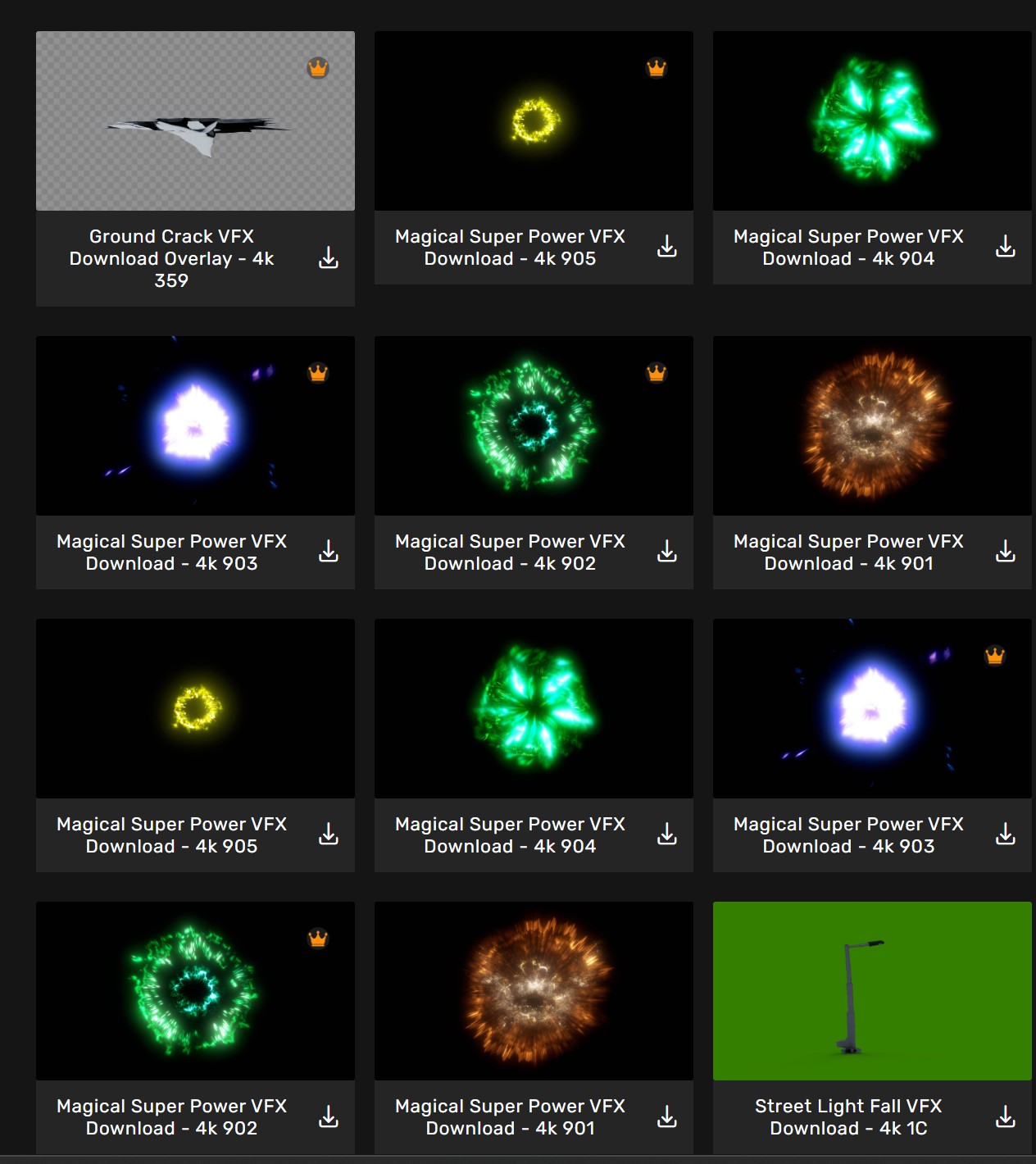
What is MyCreativeFX?
MyCreativeFX.com is a free and premium VFX marketplace offering hundreds of visual effects assets including:
All effects are available in high resolution and are optimized for both desktop editors and mobile editors like CapCut. New effects are added regularly, and many are completely free to download.
How to Download VFX from MyCreativeFX.com
Downloading VFX from MyCreativeFX is simple and takes less than a minute. Follow these steps:
Step 1 – Visit the Website Go to mycreativefx.com on any device — mobile, tablet, or desktop.
Step 2 – Browse or Search for Effects Use the search bar to find specific effects like "muzzle flash," "fire overlay," or "smoke VFX." You can also browse by category using the sidebar.
Step 3 – Choose Free or Premium Filter results by Free or Premium. Free effects can be downloaded instantly with no account required. Premium packs offer higher resolution, more variations, and exclusive content.
Step 4 – Click Download Open the effect page and click the Download button. Free files download immediately. Premium files require a one-time purchase or subscription.
Step 5 – Import Into Your Editor Once downloaded, import the file into your video editing software of choice (see tutorials below).
How to Use MyCreativeFX VFX in CapCut
CapCut is the most popular mobile video editor, especially among creators in India and Southeast Asia. Here's how to add VFX overlays from MyCreativeFX:
How to Use MyCreativeFX VFX in After Effects
How to Use MyCreativeFX VFX in Adobe Premiere Pro
How to Use MyCreativeFX VFX in DaVinci Resolve
Why Download VFX from MyCreativeFX?
There are dozens of VFX sites out there — so why choose MyCreativeFX?
Free without the friction – No forced sign-ups or paywalls for free content. Just click and download.
Mobile-first design – Effects are formatted for CapCut and mobile editors, not just desktop software.
Constantly updated – New packs added regularly so you always have fresh content.
Creator-friendly licensing – Use effects in YouTube videos, Instagram Reels, short films, and commercial projects.
Made for Indian creators – MyCreativeFX understands the needs of creators in India with content that fits Bollywood-style action, drama, and music video aesthetics.
Premium quality at no cost – Free packs are production-ready and not watermarked.
Best Free VFX to Download on MyCreativeFX
Here are some of the most popular free downloads on the platform right now:
Frequently Asked Questions
Are the VFX on MyCreativeFX really free? Yes. The free section contains fully usable, watermark-free VFX that you can use in your videos without paying anything.
Do I need an account to download free VFX? No account is required for free downloads. Just visit the page and hit download.
Can I use these VFX for commercial projects? Yes. MyCreativeFX effects come with a creator-friendly license that allows use in monetized YouTube videos, client projects, and social media content. Check the individual pack license for details.
Are the VFX compatible with CapCut on mobile? Absolutely. Many of the effects are specifically optimized for CapCut and mobile editors.
What file formats are the VFX in? Effects are available in MP4 (with alpha or black background for Screen blending) and MOV with alpha channel for full transparency in professional editors.
How often are new VFX added? New packs are added regularly. Follow MyCreativeFX on social media to stay updated on new releases.