Premium Plans
Why Professional VFX Matter for Your Videos
Creating professional-looking videos used to require expensive software and years of editing experience. But with CapCut and the right VFX library, anyone can add cinematic polish to their edits—and you don't need to spend a dime.
The difference between a good edit and a great one often comes down to one critical element: visual effects. Professional editors have known this for decades. Now, with MyCreativeFX, you get access to the same quality effects they use—completely free.
Here's the reality: viewers expect high production value. Whether you're editing YouTube Shorts, TikTok videos, or Instagram Reels, adding the right effects can increase watch time, boost engagement, and make your content stand out in a crowded feed.
Best Free VFX Categories for Video Creators
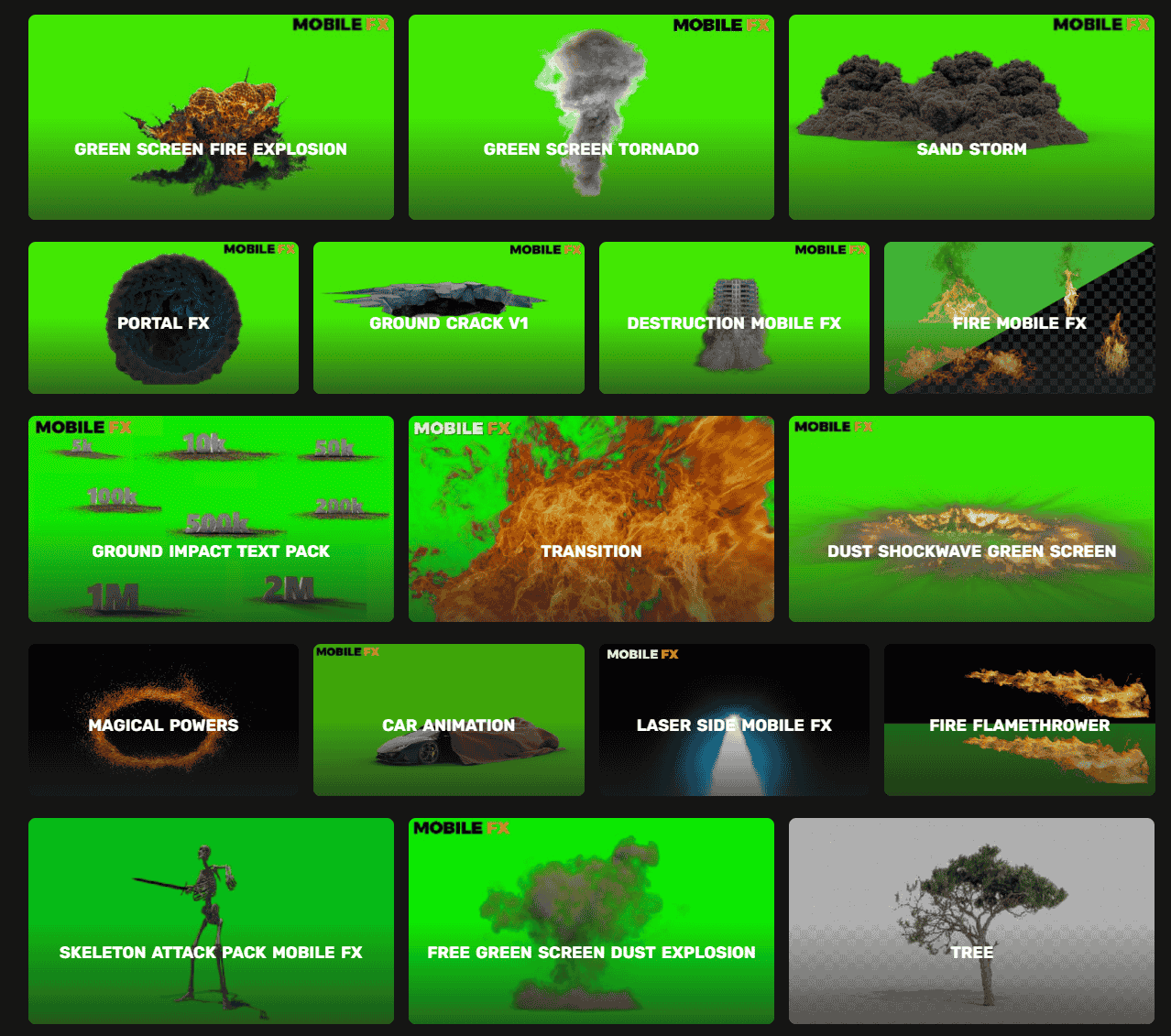
Our 1000+ effects library includes everything you need to elevate your edits. Here's what professional creators use most:
Action & Impact Effects
Add drama and intensity with explosions, fire, electricity, impact dust, and light bursts. Perfect for action sequences, beat drops, and emphasis moments.
Cinematic Transitions
Smooth scene cuts with lens flares, light leaks, depth-of-field effects, and directional wipes. Transform basic cuts into professional-quality transitions.
Futuristic & Glitch Effects
Neon overlays, digital distortion, glitch animations, and cyberpunk aesthetics. Perfect for gaming, tech reviews, and modern content.
Fantasy & Magic
Particle effects, energy bursts, mystical overlays, and magical animations. Great for creative storytelling, fantasy content, and experimental edits.
Atmospheric Elements
Smoke, fog, dust, rain, and weather effects that add depth and realism. Perfect for building mood and creating immersive visuals.
Text & Title Effects
Dynamic animations for intros, titles, lower thirds, and call-outs. Make your text pop with movement and visual interest.
Step-by-Step: How to Download & Use VFX in CapCut
Getting started takes just 5 minutes. Follow these simple steps to add professional effects to your videos:
Browse & Find Your Effects
Visit MyCreativeFX.com and explore our organized VFX collection. Browse by category (action, transitions, overlays, etc.), search for specific effects, or filter by style. No account required—all effects are immediately available.
Download in One Click
Found an effect you love? Simply click the download button. No hidden fees, no watermarks, no signup required. Your file downloads instantly and is ready to use.
Import Into CapCut
Open CapCut and start editing your video. When you're ready to add an effect, tap the Overlay button, select Add, and choose your downloaded effect file. CapCut will import it automatically.
Customize to Fit Your Vision
Once imported, adjust the effect to match your edit perfectly. Change opacity (transparency), blending mode, duration, and position. Layer multiple effects for even more creative control and unique looks.
Export & Share
Happy with your edit? Export at your preferred resolution (1080p, 4K, or mobile format) and share directly to YouTube, TikTok, Instagram, or any platform. Your viewers will be impressed.
Pro Tips for Using VFX Effectively
- Less is often more: One perfectly-timed effect beats three mediocre ones. Let your content breathe and effects breathe with it.
- Match the mood: Choose effects that complement your video's color grade, pacing, and emotional tone. Mismatched effects look amateurish.
- Layer strategically: Combine effects (light leak + transition, for example) to create unique, signature looks that set you apart.
- Test different blending modes: Opacity and blending modes dramatically change how effects look. Experiment with Multiply, Screen, Overlay, and Add modes.
- Sync effects to music: Time your effects to beat drops, vocal punches, and lyrical emphasis. This creates a polished, professional feel.
- Use effects to direct attention: Strategically place effects where you want viewers to look. Effects guide the eye just like color and lighting.
MyCreativeFX vs Competitors: Why Creators Choose Us
If you've researched VFX platforms like FootageCrate, Motion Array, or Envato, you know the quality varies wildly. Here's how MyCreativeFX compares:
| Feature | MyCreativeFX | FootageCrate | Envato Elements |
|---|---|---|---|
| Free VFX Library | ✓ 1000+ | Limited | Subscription only |
| No Watermarks | ✓ | ✓ | ✓ |
| Commercial Use | ✓ Royalty-free | ✓ | ✓ |
| CapCut Optimized | ✓ | Generic | Generic |
| Mobile-First Design | ✓ | Desktop-focused | Desktop-focused |
| Monthly Cost | ✓ Free forever | $7.99–$14.99 | $16.50–$39.99 |
| New Effects Added | ✓ Weekly | Monthly | Monthly |
| Community Focus | ✓ Creator-driven | Enterprise | Enterprise |
Why Creators Love MyCreativeFX
- 1000+ professional-grade effects and growing every week
- Completely free—no hidden costs, no premium tiers
- Zero watermarks on all effects
- Royalty-free for commercial and monetized use
- Mobile-first design built for CapCut, TikTok, Instagram, and YouTube Shorts
- Works on both iOS and Android devices
- No technical skills required—designed for beginners
- Regular updates with trending effects and new styles
- Perfect for YouTube, TikTok, Instagram, and streaming content
- Curated by professional video editors and motion designers
Real Results: What Creators Are Achieving
Thousands of creators are using MyCreativeFX effects to boost their content. Here's what's possible:
- Increased Watch Time: Adding effects typically increases average view duration by 20–40%. Viewers stick around for polished content.
- Better Click-Through Rates: Videos with professional effects get more clicks and shares. Your thumbnail matters, but your editing matters more.
- Faster Channel Growth: Consistent, high-quality edits signal professionalism to the algorithm. Better content = more recommendations.
- Monetization Opportunities: Monetized platforms (YouTube, TikTok Creator Fund) favor well-edited content. Professional VFX help you qualify faster.
- Creator Confidence: Knowing you have access to professional-grade effects removes the learning barrier. You can focus on storytelling, not technical limitations.
Frequently Asked Questions
Yes! All effects on MyCreativeFX are royalty-free and can be used in commercial projects, monetized videos on YouTube/TikTok, client work, and professional productions without any additional licensing or fees. This includes revenue-generating content on any platform.
No. All 1000+ effects in our library are completely watermark-free. Download them and use them directly in your videos without any branding, logos, or attribution requirements. Your content stays 100% yours.
Yes, all our effects work on both iOS and Android versions of CapCut. Simply download the files and import them as overlays in CapCut mobile. No compatibility issues—we test every effect across platforms.
Absolutely! Once you import effects into CapCut, you have complete control. Adjust opacity, blending mode, duration, positioning, and scale to match your creative vision. Layer effects, combine them, and make them your own.
No special software needed. CapCut is completely free and available on iOS and Android. All our effects are designed specifically for mobile editing. You don't need After Effects, Premiere Pro, or any premium software—just CapCut and your phone.
We add new effects every single week. Our growing library now includes 1000+ free VFX across action, transitions, overlays, filters, and animations. New trends, effects, and styles are added based on creator feedback and platform trends.
Many of our effects are designed as video overlays, which work in most video editors. However, they're specifically optimized for CapCut mobile editing. Some effects may require format conversion for After Effects. Check individual effect descriptions for compatibility details.
No credit required! All our effects are completely free to use without attribution. That said, if you enjoy using our effects and want to support MyCreativeFX, mentioning us in your video description or crediting us on social media is always appreciated (but never required).
Get Started Today—It's Free
Don't settle for basic, unedited videos. Professional VFX elevate your content instantly, boost engagement, and help you compete with established creators. The best part? MyCreativeFX gives you everything you need completely free.
Your creative vision deserves professional tools. Start downloading free VFX effects right now and transform your videos into something truly special.