Premium Plans

5,000+ Free Video Editing Assets: VFX, Transitions, Overlays & Music
5,000+ Free Video Editing Assets: VFX, Transitions, Overlays & Music
If you are making videos in 2026, green screen effects and overlays are no longer optional. They are one of the fastest ways to make a simple edit look cinematic, dramatic, and professional.
A plain shot can become an action scene. A basic intro can become a movie-style opening. A social clip can suddenly feel like a trailer, a music video, or a short film.
That is why creators keep searching for green screen effects download, overlay VFX, free green screen effects, and visual effects overlays. They want assets that are easy to place, easy to blend, and powerful enough to change the whole mood of a shot.
At MyCreativeFX, the goal is simple: give creators access to 3000+ green screen effects and overlays that can be used for video editing, VFX work, YouTube content, short films, reels, CapCut edits, Premiere Pro projects, and After Effects compositions.
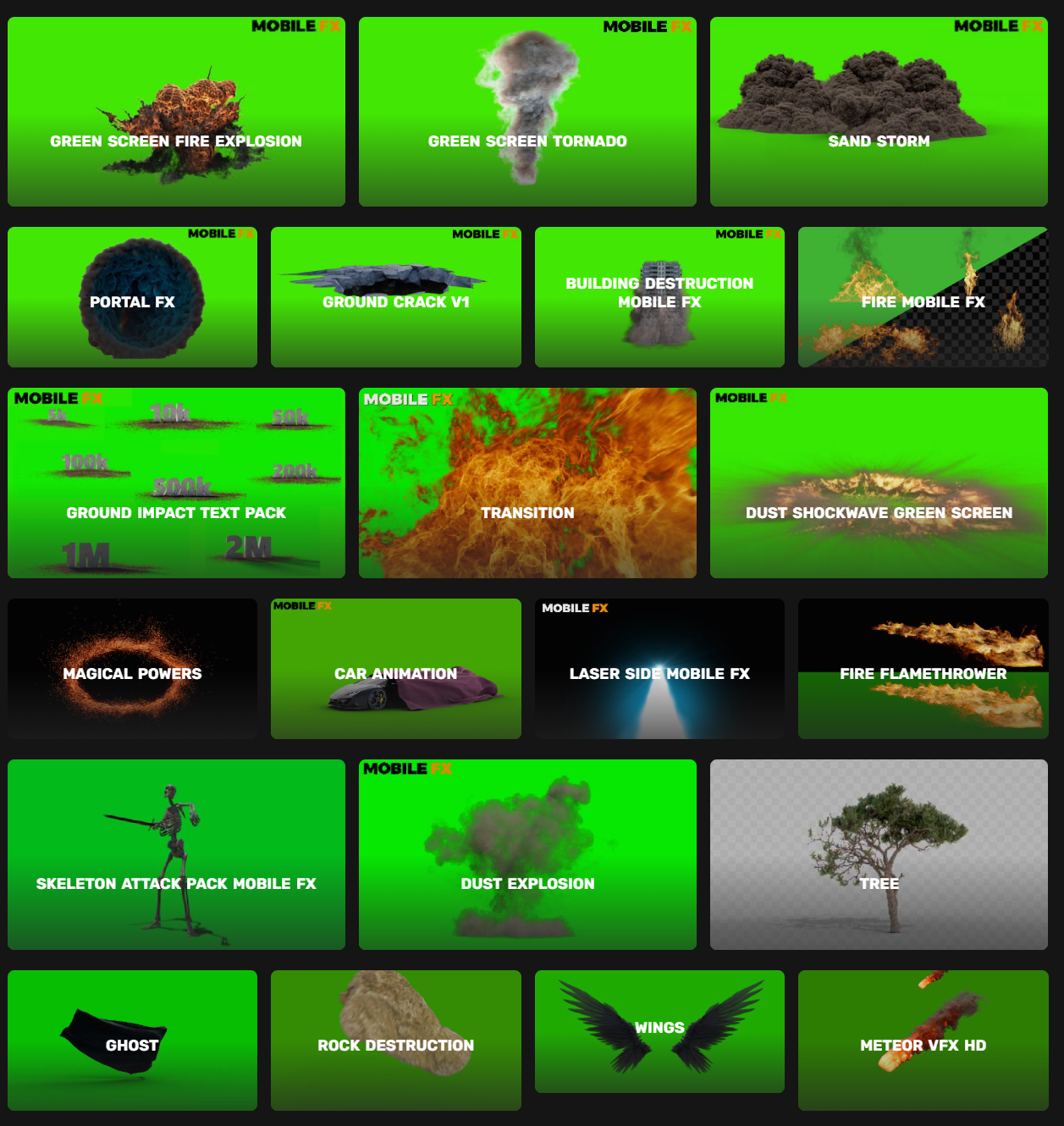
Green screen effects are visual elements filmed or created on a solid green background so they can be removed easily in editing. Overlays are visual layers placed over your footage to add motion, energy, atmosphere, texture, or cinematic impact.
Both are useful, but they work in different ways.
A green screen effect might be:
An overlay might be:
Together, they give you a complete toolkit for building scenes that feel bigger than the original footage.
That is why creators love them. You do not need expensive shooting setups or huge production crews. You just need the right visual assets and a clean editing workflow.
The number matters because variety matters.
When a library is small, you end up reusing the same effects again and again. Your videos start to feel repetitive. But when you have 3000+ green screen effects and overlays, you can choose the right look for every scene instead of forcing one effect into everything.
That means:
A large effect library also helps when you work across different genres. A gaming video needs different visuals than a horror edit. A film scene needs different effects than a reel or a CapCut transition.
With a bigger library, you can switch styles without switching platforms.
Green screen effects are not just for flashy edits. They are useful in many types of content.
You can use them for:
Overlays are just as flexible.
You can use them for:
The real advantage is not just how they look. It is how fast they let you create.
A serious VFX library should cover many categories, not just one or two.
Here are the most useful groups for creators in 2026:
Fire is one of the most popular VFX categories because it instantly brings energy to a scene. You can use it for explosions, power attacks, dramatic frames, or background atmosphere.
Smoke adds depth and mood. Fog makes a shot feel more cinematic and mysterious. These are great for horror, action, and fantasy content.
Explosions are essential for action edits, battle scenes, destruction shots, and dramatic transitions.
Sparks work well for impact moments, metal hits, fast cuts, and industrial-style visuals.
These are perfect for sci-fi, magic, superpowers, and supernatural edits.
If you make tech content, gaming edits, or futuristic visuals, glitch effects are extremely useful.
These are great for fantasy scenes, character reveals, and cinematic transitions.
Weather overlays give your footage atmosphere and realism without changing the location.
These are subtle but powerful. They help create a polished cinematic look.
Great for sci-fi, games, tutorial content, and futuristic presentation styles.
Making every effect from scratch takes time, money, and advanced technical skill.
With green screen effects and overlays, you can skip that part and focus on editing.
That means:
This is especially useful for:
A good effect library saves hours. A great one saves entire production days.
The good news is that green screen effects and overlays work in almost every major editor.
CapCut is one of the easiest tools for creators who want fast, clean edits. Green screen effects can be keying out very quickly, and overlays can be blended with simple controls.
Premiere Pro gives you more control over layering, timing, and compositing. It is excellent for polished editorial workflows.
After Effects is ideal when you want full control, motion tracking, compositing, masking, and advanced transitions.
Resolve is very strong for both editing and compositing. It works well for creators who want professional results without a complicated setup.
A good option for Mac users who want a fast editing environment with strong compositing tools.
No matter which editor you use, the same principle applies: place the effect, key or blend it properly, match the timing, and adjust the look to fit the scene.
A lot of people download effects, drop them on the timeline, and expect magic.
That is not enough.
To make the effect feel real, you need to match it to the footage.
That is how you turn a simple effect into something convincing.
Not every VFX library is worth using.
A good one should have:
If a library is disorganized, low quality, or hard to search, you lose time.
The best libraries help you move quickly from idea to finished edit.
That is the real value.
Some creators focus only on big effects like explosions or powers.
But overlays are just as important because they shape the overall look.
A video with no overlays can feel flat.
A video with the right overlays can feel cinematic.
Overlays help with:
Even a very light overlay can make a shot feel more expensive. That is why professional editors use them so often.
If you want a place built for creators, not just for storage, MyCreativeFX is designed around that workflow.
You get:
That matters because creators do not just want files. They want speed, clarity, and variety.
They want to find the right asset fast and get back to creating.
That is the whole point.
Browse here: https://mycreativefx.com/
Here are the content types that benefit most:
Use effects to make thumbnails, intros, transitions, and action moments feel stronger.
Fast, punchy overlays help clips stand out in crowded feeds.
Green screen effects let you add spectacle without big production costs.
Explosions, glitch effects, HUDs, and powers fit perfectly.
Stylized overlays can change the mood of an entire scene.
Use simple overlays and UI-style graphics to guide attention.
A few small adjustments can make a huge difference.
Small choices add up. Good editing often comes from restraint, not overload.
Yes. They are usually simple to key, blend, and place into your timeline.
Yes. Many overlays work very well in CapCut, especially for quick social edits.
Very much. They are one of the easiest ways to improve a video quickly.
Yes. Premiere Pro, After Effects, DaVinci Resolve, and Final Cut Pro all handle overlays well.
Because more variety means less repetition and more creative freedom.
They help creators build scenes that feel bigger, sharper, and more cinematic without needing a huge budget.
If you want speed, variety, and flexibility, a large library matters. That is why 3000+ green screen effects and overlays can completely change the way you edit.
Use them well, match them to your footage, and they will do more than decorate your video. They will elevate it.
Start exploring here: https://mycreativefx.com/
If you want, I can turn this into a full SEO HTML blog page next, with title tag, meta description, keywords, and CTA buttons.